
How to test an automation
Quick answer
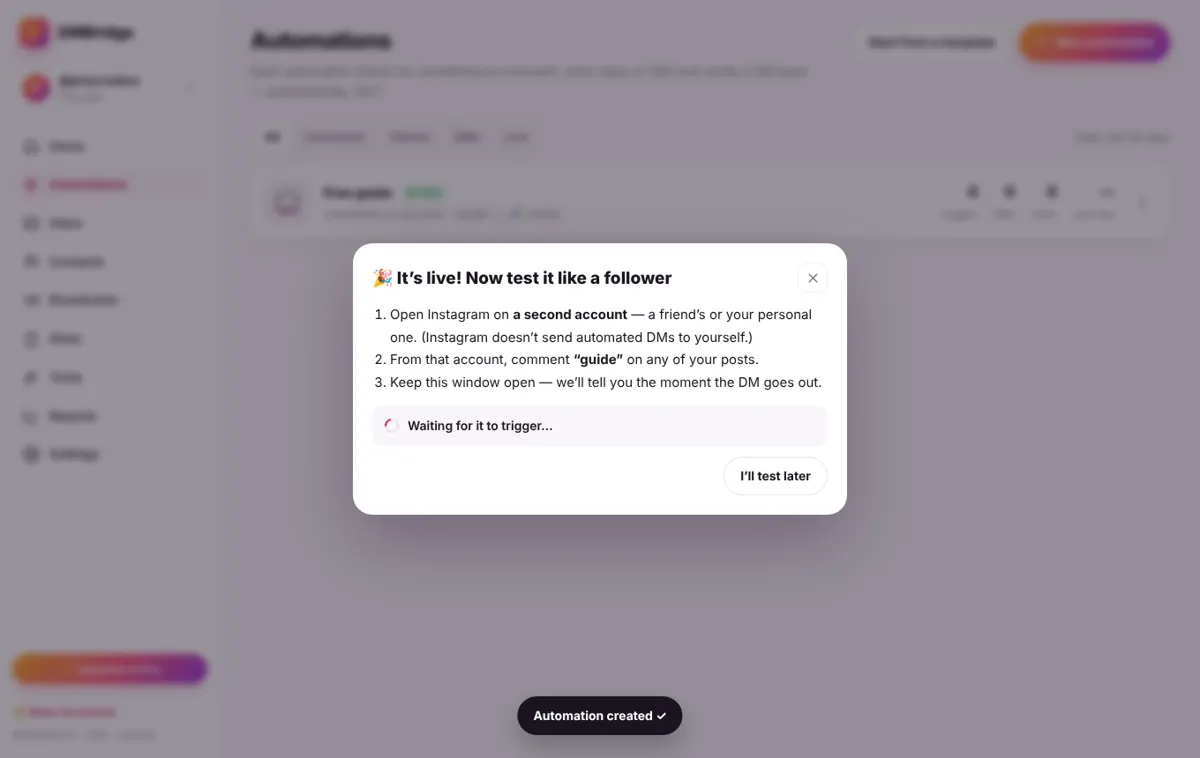
Instagram doesn’t send automated DMs to your own account, so test from a second account: comment the keyword on your post from a friend’s or personal account. You can also use ⋮ → Test on an automation to send the DM to the account that last messaged you.
- Make sure the automation is Live.
- From a second Instagram account, comment the exact keyword on the post (or on any post for “Any post” automations).
- Check the second account’s DMs — the reply should arrive within seconds. On your dashboard the automation’s Triggers and DMs counts go up.
The Test button
On Automations, open the ⋮ menu → Test. DMBridge sends the automation’s DM to the person who most recently messaged your account (within Instagram’s 24-hour window). Message your account from your second account first, then press Test.
Related articles
🚀 Getting started
What is DMBridge?How to connect your Instagram accountCreate your first automation (step by step)The “Show me around” guided tourHow to test an automationFree vs Pro: what’s includedStill stuck? Email [email protected] — we usually reply within a day. · All help articles
Frequently asked questions
Nothing arrived — what now?
See DM not sending. The most common causes are message access being off, a private test account, or the keyword not matching.
Try DMBridge free
Connect Instagram in 30 seconds. 100 auto-DMs a month free — no card needed.
Continue with Instagram