
Followers only (the follow gate)
In the automation editor, step 3 “Who can get it?”, choose Followers only. Non-followers get a “follow first” DM with Visit profile and I’ve followed buttons; DMBridge checks the follow through Instagram’s API and sends the link as soon as they follow. Pro feature.
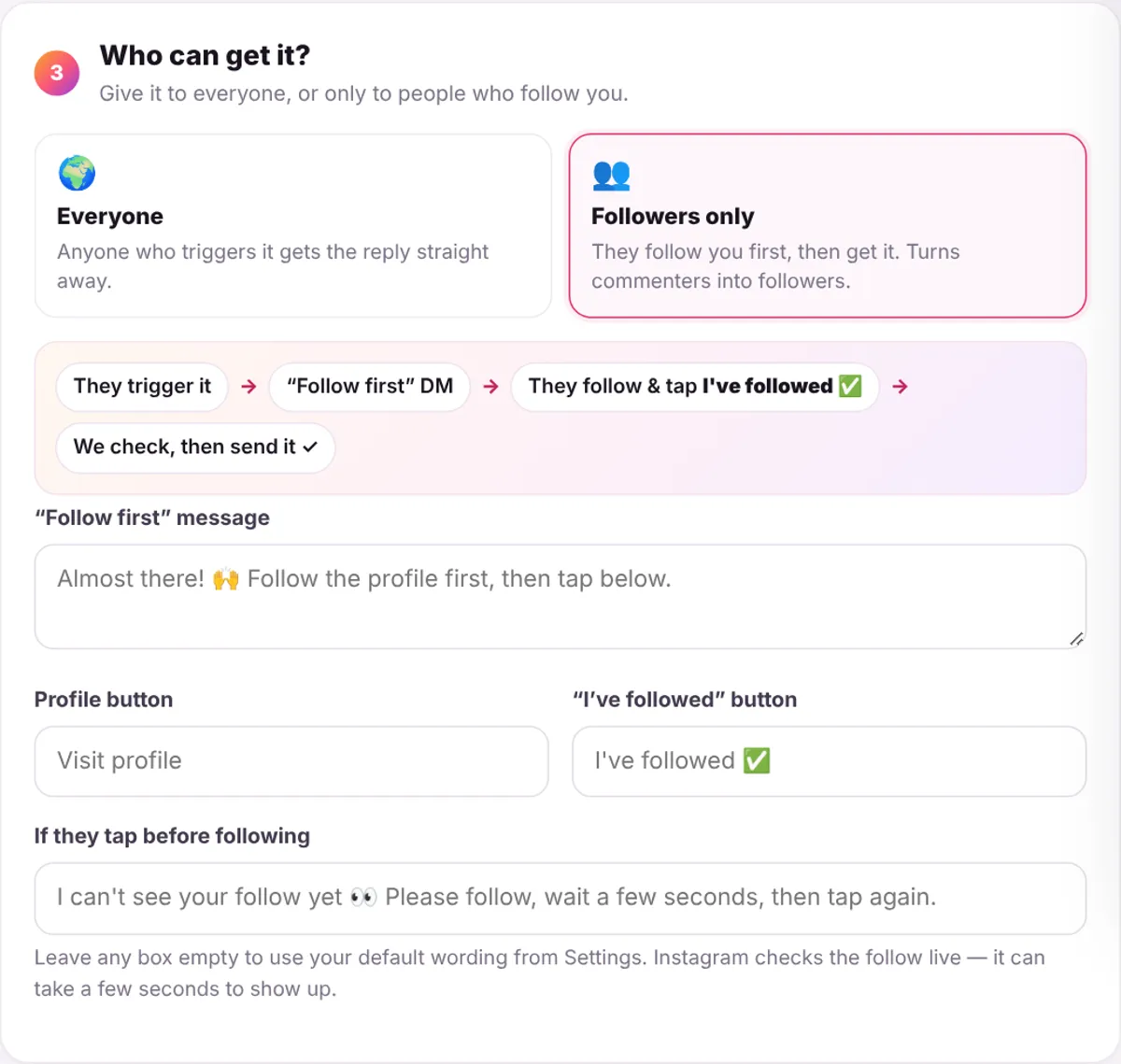
Turn it on
- One automation: editor → step 3 → Followers only, or Automations → ⋮ → Followers only.
- Several at once: Tools → Follow gate → switch any automation, or Turn on for all.
- New automations by default: Tools → Follow gate → Followers only by default. Existing automations keep their setting.
Customise the wording
Edit the “follow first” message, the two buttons and the “still not following” reply in step 3 of each automation, or set defaults in Settings → Default DM wording.
See the results
Home, Reports and Tools → Follow gate show people asked to follow, new followers and your follow rate. Each person is counted once per automation; people who already follow you aren’t counted as asked.
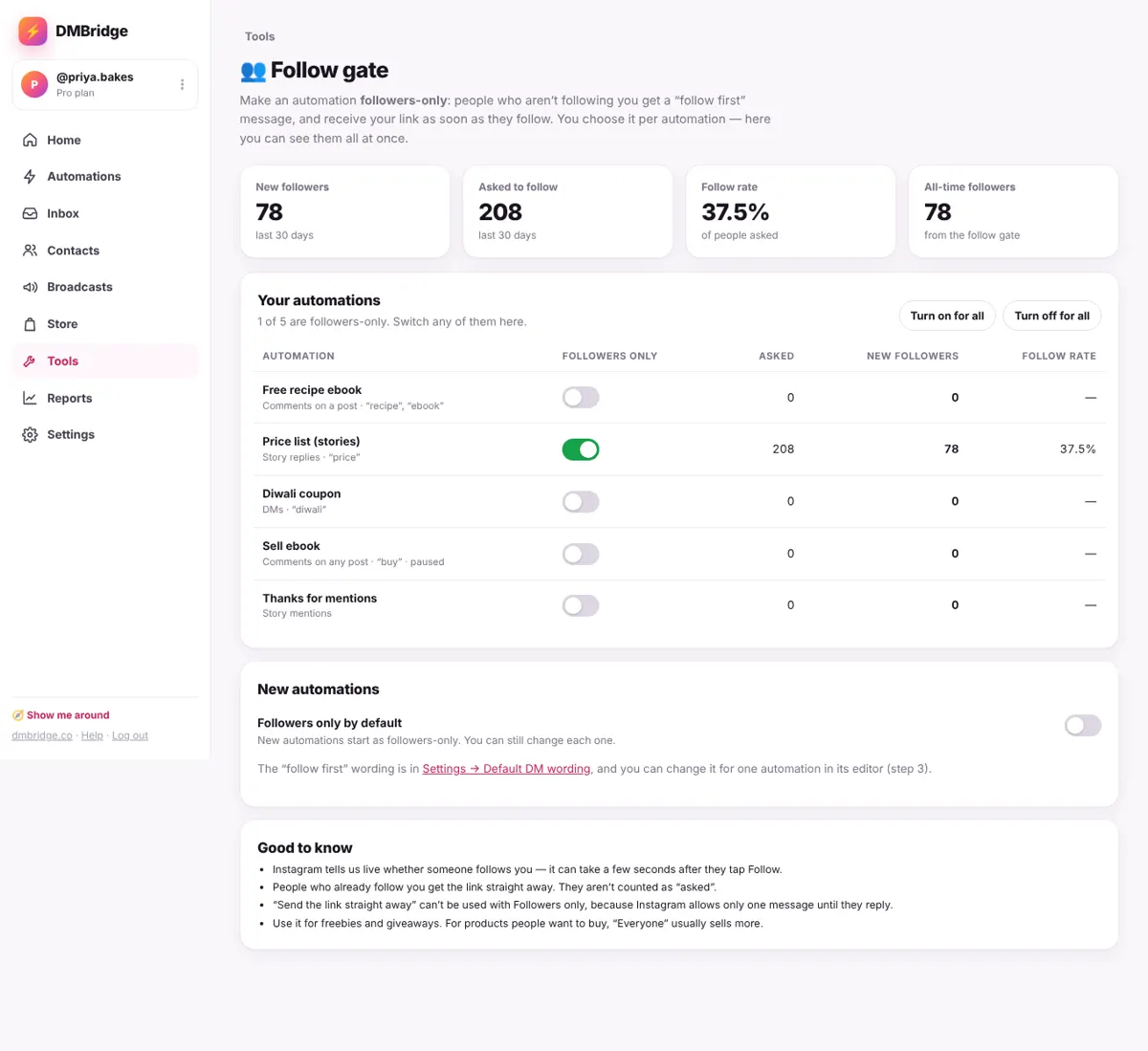
“Send the link straight away” can’t be used with Followers only — Instagram allows only one message until they reply, so we can’t check the follow first.
Related articles
👥 Follow gate
Followers only (the follow gate)Frequently asked questions
Someone followed but still can’t get it?
Instagram can take a few seconds to report a new follow. Ask them to wait a moment and tap “I’ve followed” again.
Is it allowed by Instagram?
Yes — DMBridge uses Instagram’s official follower check. We never unlock anything without a real follow.
Try DMBridge free
Connect Instagram in 30 seconds. 100 auto-DMs a month free — no card needed.
Continue with Instagram